 PicMason
Practical guide
Split an image without losing edge pixels.
When an image does not divide evenly, a one-pixel difference between tiles is how you keep the entire picture.
Start with an awkward size
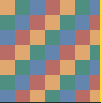
Our 101 × 103 PNG sample has colored areas, a bright right edge, and a dark bottom edge. Those last two edges make missing pixels easy to spot. Save the sample, open it in the image splitter, and choose 3 rows, 4 columns, and PNG output.
The exact boundaries
A pixel column belongs to exactly one tile. For four columns, the horizontal boundaries are 0, 25, 50, 75, 101. For three rows, the vertical boundaries are 0, 34, 68, 103. Each tile starts at one boundary and stops immediately before the next.
| Source area | Tile sizes | Total coverage |
|---|---|---|
| Columns 1–4 | 25, 25, 25, 26 px wide | 101 px |
| Rows 1–3 | 34, 34, 35 px high | 103 px |
| Top-left tile | 25 × 34 px | x 0–24; y 0–33 |
| Bottom-right tile | 26 × 35 px | x 75–100; y 68–102 |
The calculation is floor(i × width / columns) for horizontal boundaries and the same calculation with height and rows for vertical boundaries. The final boundaries are the full width and height. For other image sizes, the extra pixels can appear in different columns; adjacent tile widths and heights still differ by at most one pixel.
Check the result yourself
- Check that the preview contains twelve tiles and the dimensions above.
- Export the ZIP and open its size list. Confirm that the rightmost column is 26 px wide and the bottom row is 35 px high.
- Place the PNG tiles next to one another at their listed source coordinates, without rescaling or gaps. The result should be 101 × 103, including the bright right edge and dark bottom edge.
If a design app puts every tile in a fixed-size frame, disable automatic resizing. A one-pixel gap in that app can come from placement or scaling even when the exported tile boundaries are correct.
What “keeping pixels” means
Grid splitting preserves the full image area at its decoded resolution. It does not force equal square tiles: a rectangular source remains rectangular unless its dimensions already suit the chosen grid. The tool does not crop edges or add padding to make squares.
Use PNG to avoid adding JPEG compression during export. Splitting an existing JPEG into PNG does not restore detail already lost in the JPEG. Exports also do not promise to retain camera metadata, color profiles, print DPI, or the original compressed bytes.
A grid cannot contain more columns than image pixels across, or more rows than image pixels down. A 1 × 1 image can make one tile; it cannot make a 2 × 2 grid with real image content in every tile.
Try the sample in the splitter →